
Learn any language through the shows you already love.
DualCap puts live bilingual captions on Netflix, YouTube, and more — with grammar breakdowns, word lookup, and a personal dictionary. No app switching. Just watch and absorb.

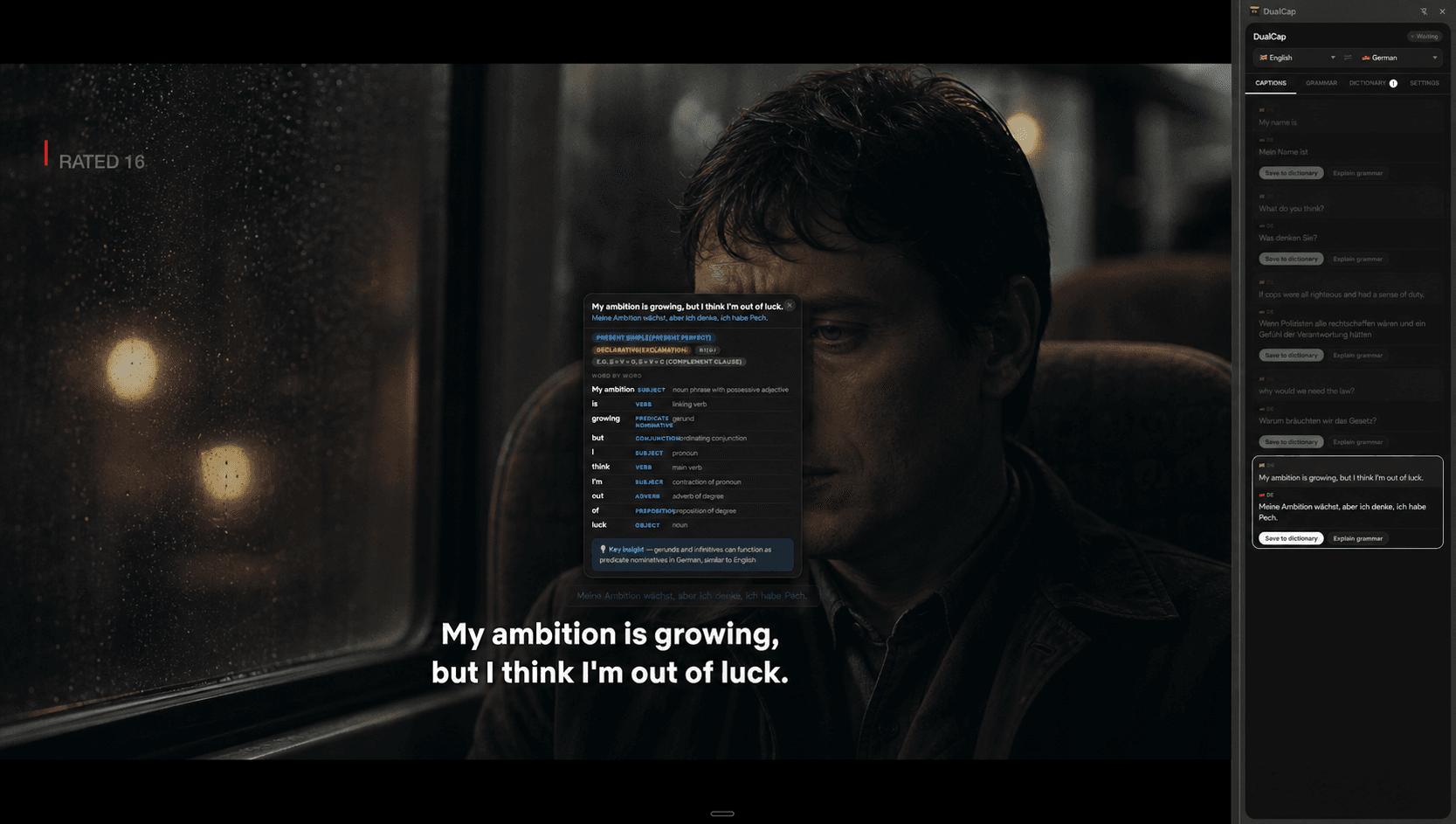
Up and running in 3 steps
No backend, no account, no friction. Your data stays in your browser.
Install DualCap
Add it to Chrome from the Web Store in one click. No account, no sign-up required.
Add your free Groq API key
DualCap uses Groq's AI for translation and grammar. Get a free key at console.groq.com — no credit card needed. Paste it into Settings inside the extension.
Open a video and turn on subtitles
Go to YouTube or Netflix, turn on subtitles in the player, and DualCap instantly shows both lines — original on top, translated below. Click any word to look it up. Click the translation for a full grammar breakdown.
Everything you need to actually learn
No other extension combines live captions, grammar AI, and a personal dictionary.
Bilingual captions, live
Original and translated subtitles side by side, directly on the video. Draggable, resizable, works in fullscreen. No delay — translations arrive in under 100ms.
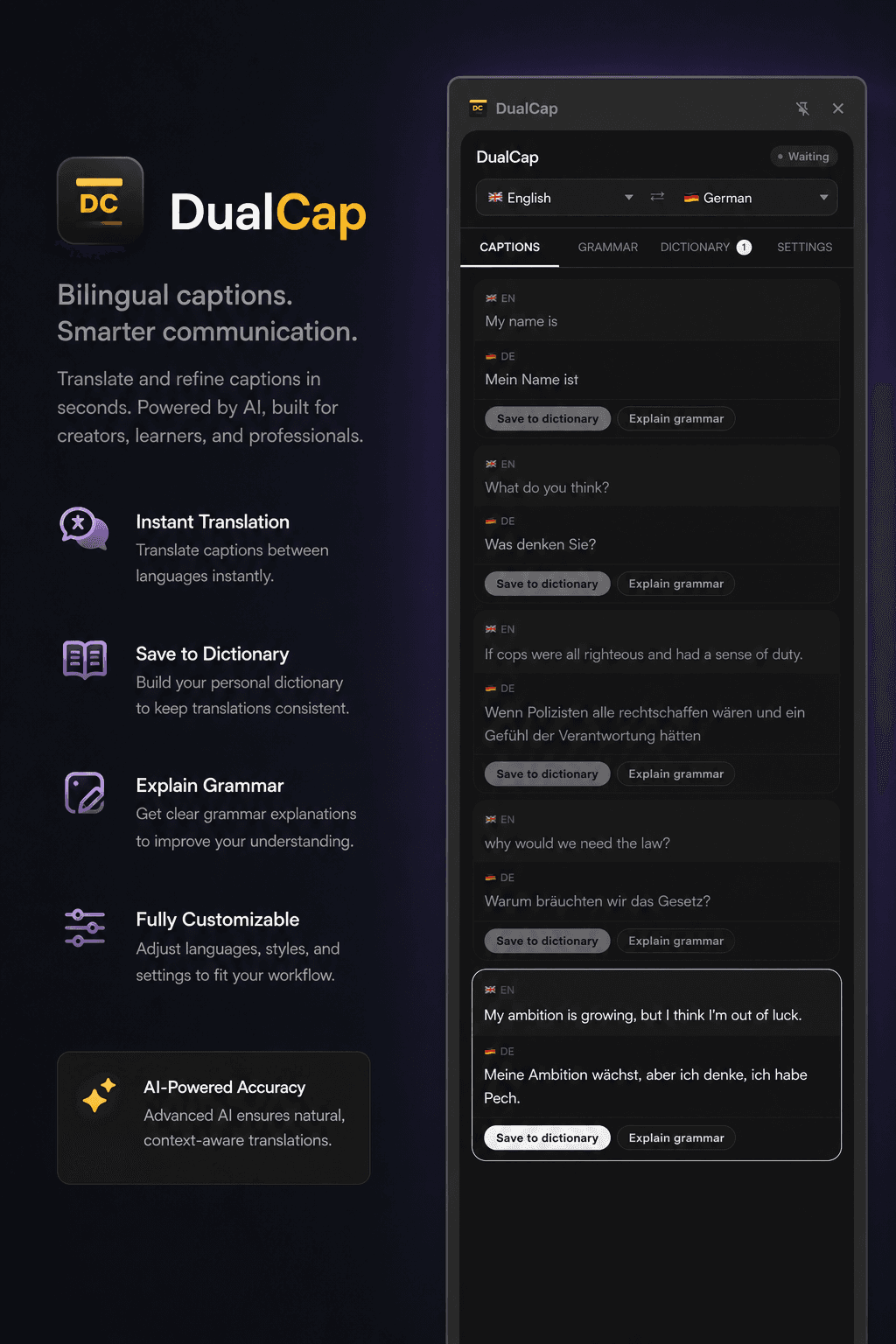
Original and translated subtitles side by side, directly on the video. Draggable, resizable, works in fullscreen. No delay — translations arrive in under 100ms.
- → Draggable & resizable overlay
- → Works in fullscreen
- → Under 100ms translation
- → Save any caption instantly
Grammar breakdowns — A2 to C2
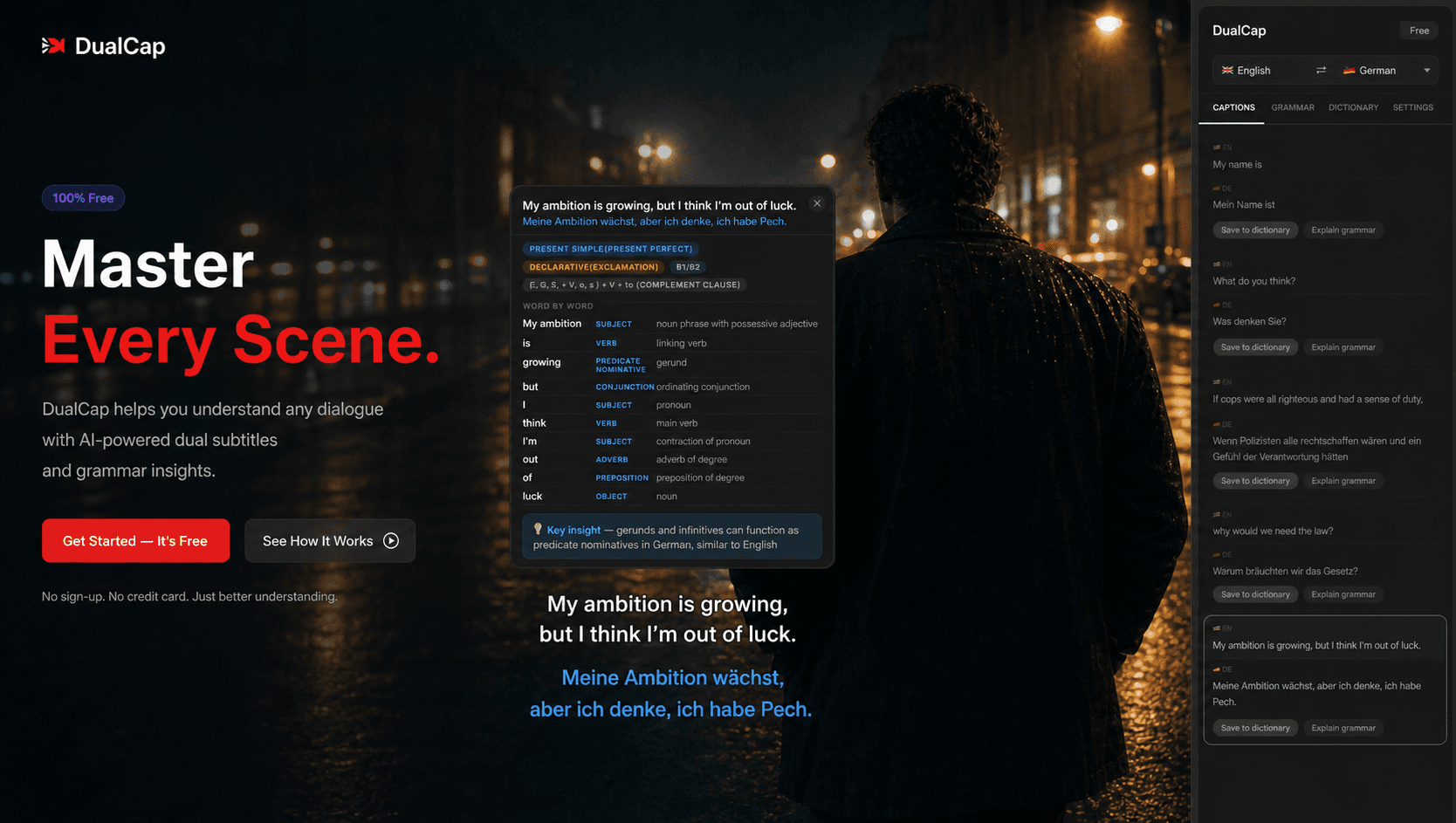
Click the translated caption and the video pauses. A panel shows tense, sentence structure, word-by-word roles, CEFR difficulty level, a key insight, and example sentences.
Word lookup on tap
Tap any word in the captions. Get the definition, pronunciation, part of speech, grammatical gender (crucial for German, French, Spanish), and two example sentences.
Personal dictionary
Save any caption with one tap. DualCap automatically fetches the meaning and stores it with the original, translation, definition, and examples. Download as PDF.
Loop mode
Press L to loop the current sentence. The best technique for training your ear and practising pronunciation — used by polyglots worldwide.
Works where you watch
Netflix · YouTube · Disney+ · Amazon Prime Video · Hulu · Max · Mubi · Crunchyroll
Watch and learn. No switching tabs.
Click any translated line. The video pauses. A full grammar breakdown appears — tense, word roles, CEFR level, key insight.
Built by a designer learning German through Netflix.
I was watching German series to learn the language — immersion works, but every tool I tried was either expensive, clunky, or both. So I built my own.
DualCap started as a weekend project. Now it's a full learning system — translation, grammar, dictionary, all inside the browser while you watch. No app switching, no subscriptions, no friction.
Getting started
Step-by-step instructions for everything you need.
How to get your free Groq API key
DualCap uses Groq's AI for translations and grammar explanations. Groq offers a generous free tier — no credit card required.
- 1Go to console.groq.com and create a free account.
- 2Click "API Keys" in the left sidebar, then click "Create API Key". Give it any name (e.g. "DualCap").
- 3Copy the key — it starts with gsk_.
- 4Open DualCap in Chrome → click the icon in your toolbar → click "Settings" → paste your key in the API Key field → click Save.
→ That's it. You're ready to start.
How to use DualCap on YouTube
- 1Open any YouTube video.
- 2Click the CC button in the video player to enable captions.
- 3DualCap automatically detects the subtitle language and shows both lines.
- 4Change languages anytime from the side panel (click the DualCap icon → Side panel).
How to use DualCap on Netflix
- 1Open any Netflix show or movie.
- 2Click the dialogue icon in the Netflix player and choose a subtitle language.
- 3DualCap overlays the translation above the native subtitles.
- 4Click any translated line to pause and read the grammar breakdown.
How to build your personal dictionary
- 1Watch any video with DualCap running.
- 2When a sentence appears that you want to remember — click Save to dictionary.
- 3DualCap automatically fetches the definition, part of speech, gender, and examples.
- 4Open the Dictionary tab in the side panel to browse all saved entries.
- 5Click ↓ PDF to download your full dictionary as a formatted document.